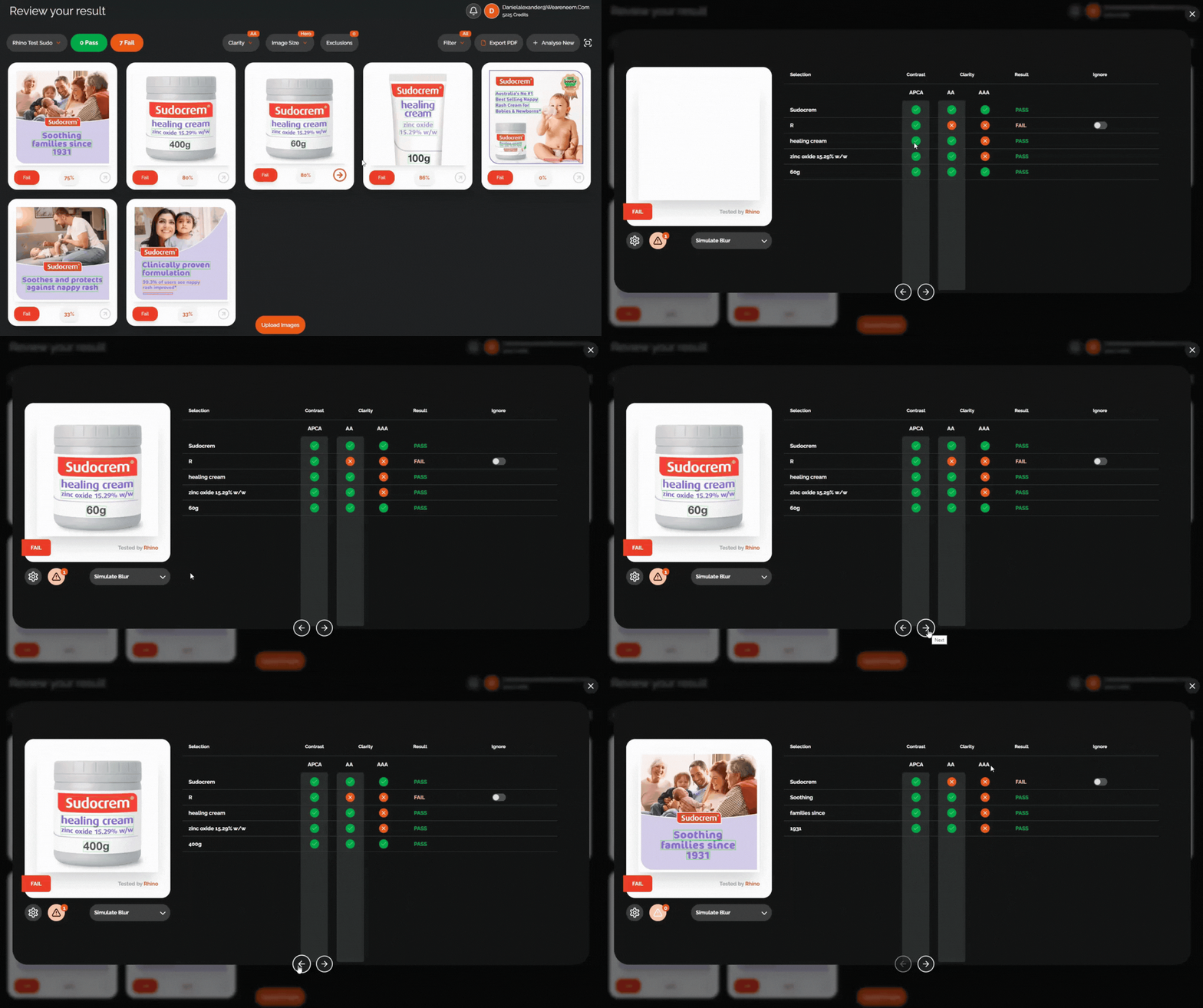
After analysis, you will be shown the results overview page. This shows all images in your project and whether or not they passed or failed. To view more detailed results for each image, just click on the image that you'd like to view.
When the modal pops up, you can view all the details of how that image scored, as well as switch to the previous or next image by using the arrows.
Was this article helpful?
That’s Great!
Thank you for your feedback
Sorry! We couldn't be helpful
Thank you for your feedback
Feedback sent
We appreciate your effort and will try to fix the article