If you have not named or tagged your project, your other option is to filter by date range to find a specific project. To do so, head to the Recents tab and select the 'Date Range' drop down menu.

From there, enter your required date range and wait for the results.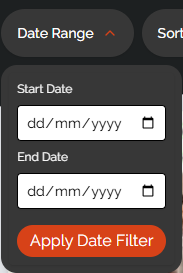
Was this article helpful?
That’s Great!
Thank you for your feedback
Sorry! We couldn't be helpful
Thank you for your feedback
Feedback sent
We appreciate your effort and will try to fix the article