When it comes to running analysis it's important to ensure that you are analysing your image at the correct size for the most accurate results. RHINO is equipped to run analysis for any size, with the most common sizings being provided for you to choose from.
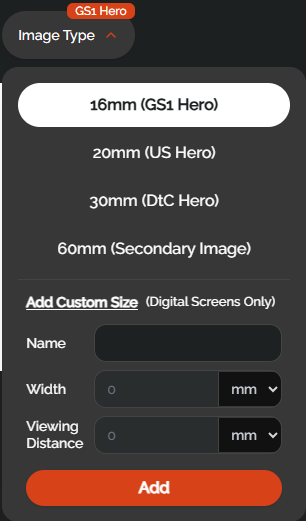
16mm GS1 is the suggested sizing for hero images in UK markets
20mm US is the suggested sizing for hero images in US and Canadian markets
30mm is the suggested sizing for hero images on your own website (Direct To Consumer)
60mm is the full screen width on Mobile for Secondary Images / A+ Images, and real desktop size in carousel
RHINO also allows you to input custom sizing for any other digital screen format, whether that's a digital screen in a store, at a bus stop, or in Times Square. Simply enter the width of the screen and the distance from which it is being viewed.
Was this article helpful?
That’s Great!
Thank you for your feedback
Sorry! We couldn't be helpful
Thank you for your feedback
Feedback sent
We appreciate your effort and will try to fix the article