It's important to set the correct image size before taking the results away from RHINO as the Cambridge Clarity test is based on the image canvas size.
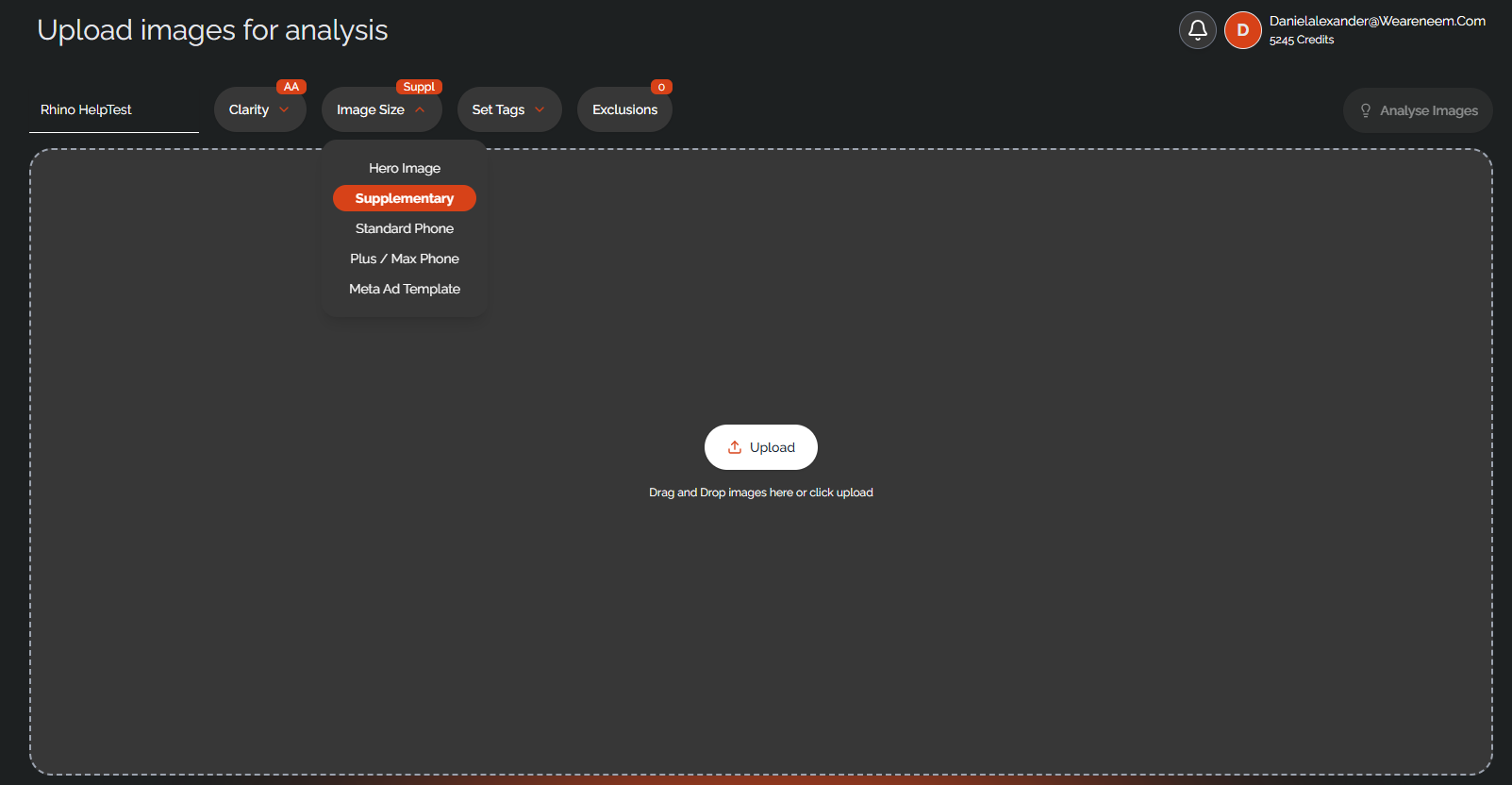
Choosing the image size can be done before running analysis, or after analysis to see different results.
It's as simple as choosing the correct size from the 'Image Size' drop down menu.
Before Analysis
After Analysis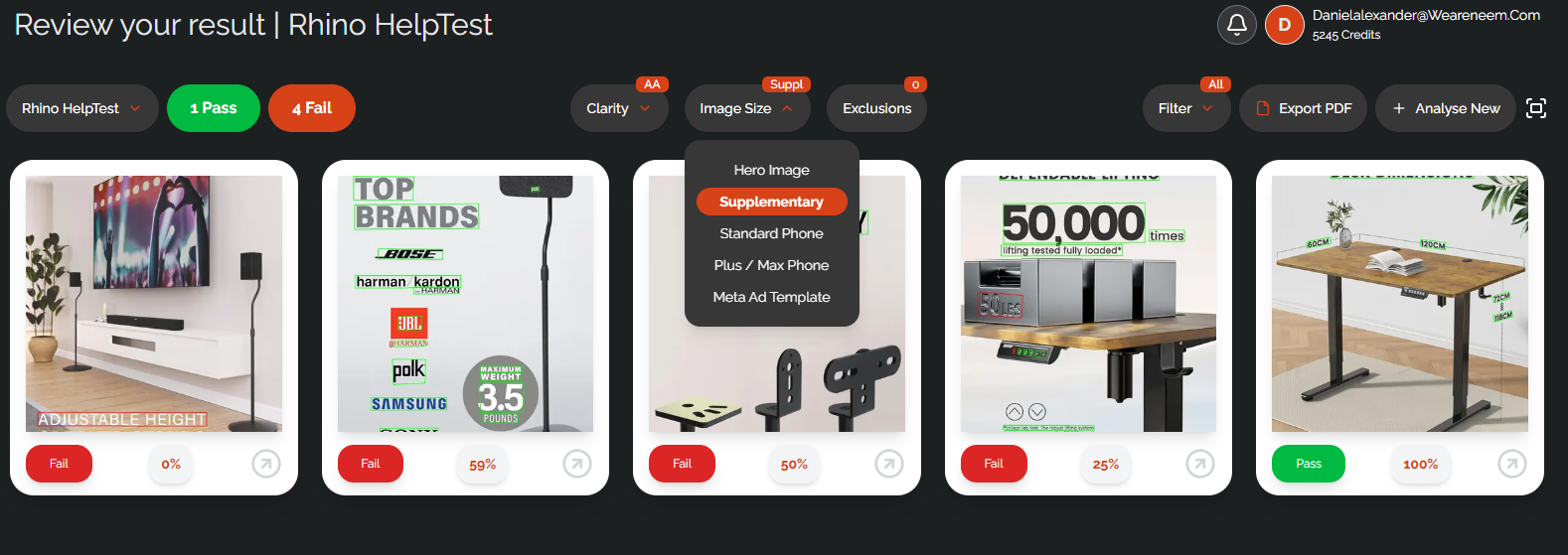
Was this article helpful?
That’s Great!
Thank you for your feedback
Sorry! We couldn't be helpful
Thank you for your feedback
Feedback sent
We appreciate your effort and will try to fix the article